My hands-on infrastructure work includes upgrading Zabbix Agent2 across 88 Linux virtual machines. That scope is a useful reminder that an agent upgrade is an operational change, not just a package command.
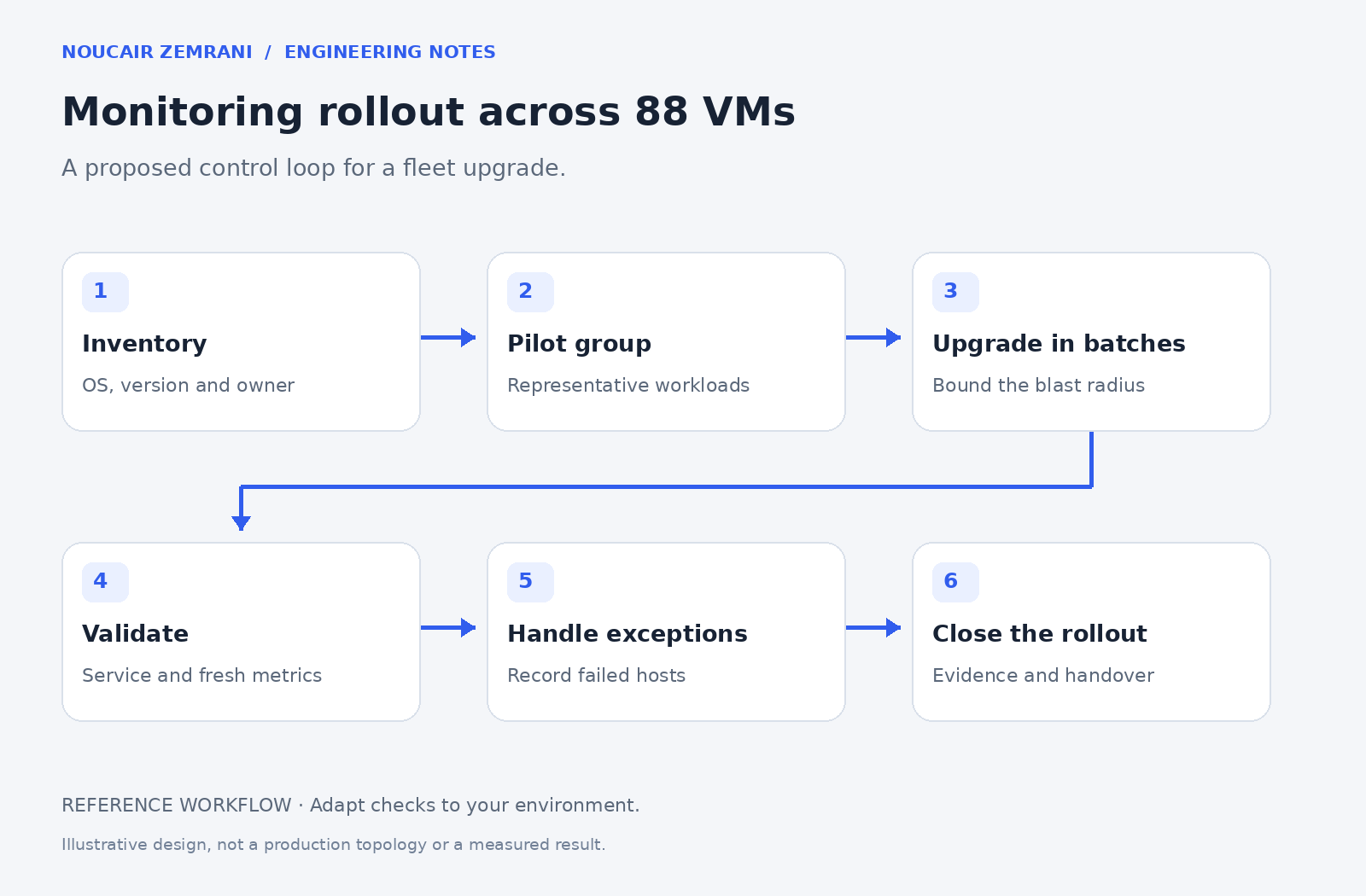
This article presents a recommended rollout checklist informed by that type of work. It does not claim that every step below was performed identically in that environment, or that the upgrade produced an unmeasured availability improvement.
Establish the inventory before the rollout
For each host, identify the operating system, existing agent version, monitoring path, configuration location, and responsible team. Separate hosts that are unreachable from hosts whose installation failed. Otherwise a connectivity problem can be misreported as a package problem and lead to unnecessary changes.
Record how the package will reach the machine. A restricted network may require an approved internal repository or staged package source. Check compatibility with the monitoring environment and relevant release notes before choosing the target version. The newest version is not automatically the correct version for every estate.
Use representative pilot machines
Choose pilots that cover meaningful differences: operating systems, active or passive checks, proxy paths, custom checks, and security settings. Back up the relevant configuration and record a baseline. A successful pilot on one simple machine does not validate all other host types.
Define stop conditions before expanding the rollout. Missing monitoring data, configuration parsing errors, unexpected plugin behavior, or service instability should pause the affected group until the cause is understood.
Validate beyond service status
After an upgrade, check the installed version, service state, configuration loading, and recent logs. Then verify the monitoring outcome: is the expected data arriving with a fresh timestamp? Are representative custom checks still working? A running agent does not prove that the server or proxy can use its data.
Keep the verification window long enough for the relevant item intervals. Do not declare failure solely because a dashboard did not refresh immediately, and do not declare success from an old value still visible on the screen.
Keep an honest exception register
Use separate states for upgraded and verified, upgraded but awaiting verification, unreachable, failed, and deferred. Include the reason, next action, owner, and next check. This gives a manager an actionable status rather than an optimistic installation count.
The deliverable is a controlled change record and reliable monitoring coverage. If your team is planning a fleet upgrade, I can help define the inventory, rollout groups, checks, and handover before the first bulk change.